Cursor vs GitHub Copilot: Which One Actually Wins in 2026
Summary
Cursor vs GitHub Copilot comes down to where you already live: an editor or a GitHub workflow. Cursor wins on inline autocomplete, parallel agents, and multi-model choice; GitHub Copilot wins on native GitHub integration and predictable low-tier pricing. Solo devs building side projects get more from Cursor. Teams already wired into GitHub PRs and Issues get more from Copilot without switching editors.
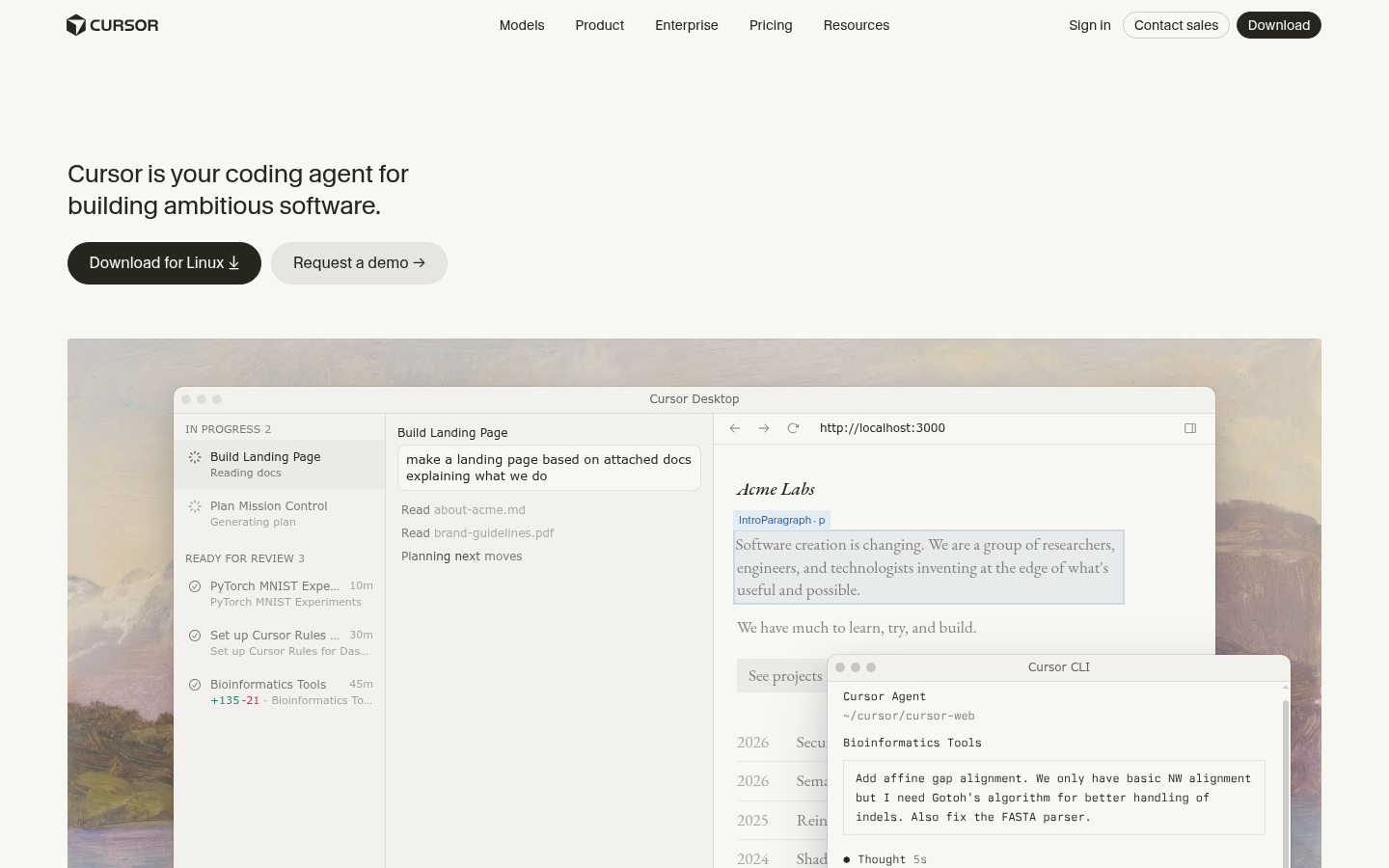

Cursor
- Tab autocomplete predicts multi-file edits, not just the current line
- Up to 8 parallel agent sessions, each in its own git worktree
- Bugbot flags security issues and race conditions before merge
- Multi-model routing across Claude, GPT, Gemini, and Grok in one editor
- Usage-based credit billing on top plans gets unpredictable under heavy agent use
- Independent audits report real usable context often below the advertised 200K window
- Closed-source VS Code fork means switching editors and trusting one company's roadmap
The stronger daily driver for solo devs who want AI woven into every keystroke.
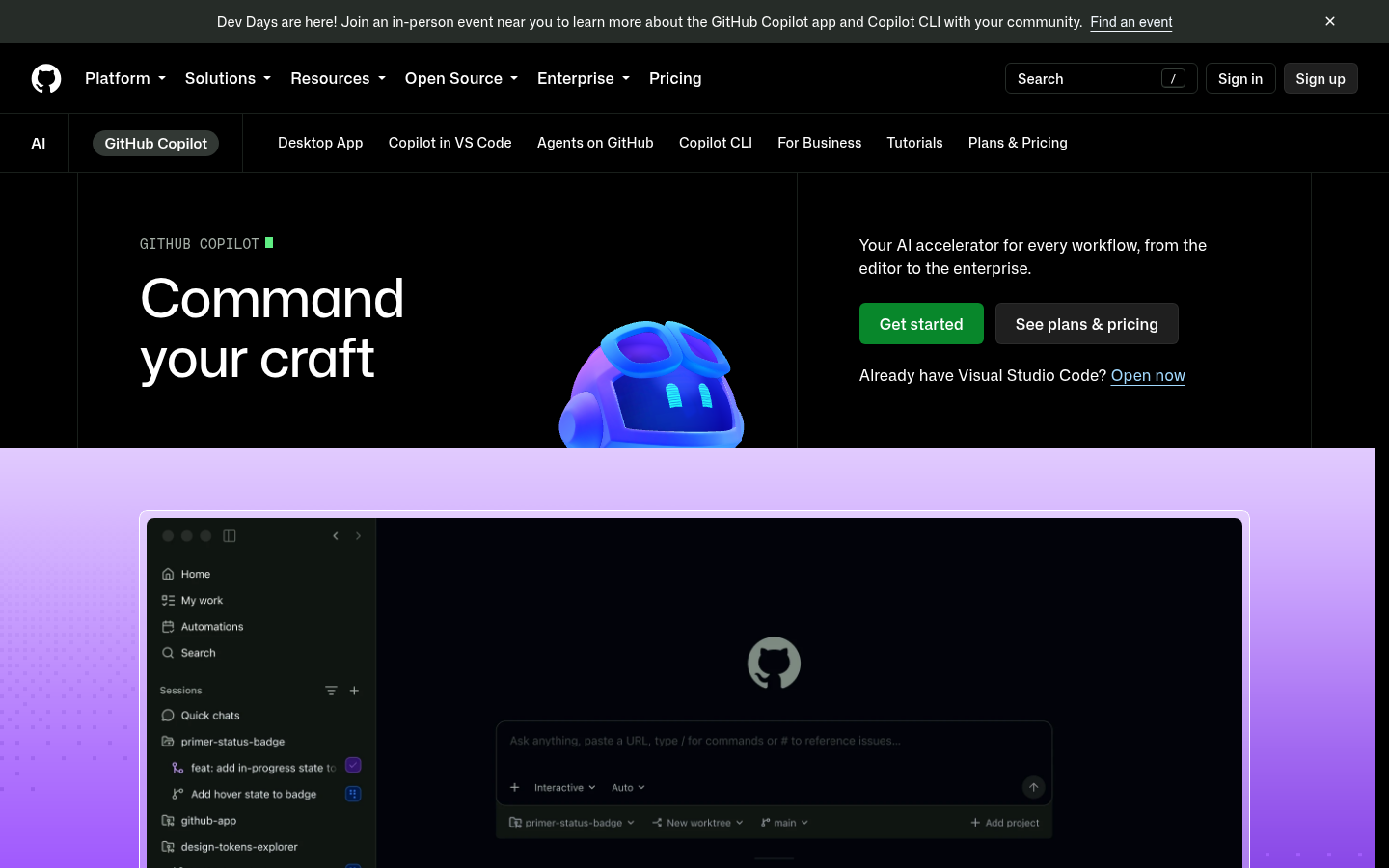
GitHub Copilot
- Coding agent picks up a GitHub Issue and opens a draft PR unattended
- Works natively across VS Code, JetBrains, Neovim, and github.com
- Org-wide policy controls and audit logs built for regulated teams
- Cheapest paid entry tier at $10/month for unlimited completions
- Chat quality trails Cursor on large multi-file refactors in side-by-side tests
- Moved to usage-based AI Credits in June 2026, credits burn fast under heavy agent use
- Business and Enterprise seats add real per-seat cost once a team scales past a few engineers
The lower-friction pick for teams that don't want to leave their existing GitHub workflow.
At-a-glance
| Cursor | GitHub Copilot | |
|---|---|---|
| Starting price | Free (Hobby); $20/mo Individual; $40/user/mo Teams | Free tier; $10/mo Pro; $19/user/mo Business |
| Editor model | Standalone VS Code fork, replaces your editor | Extension inside VS Code, JetBrains, Neovim, github.com |
| Inline autocomplete | Multi-file Tab predictions, jumps to next edit | Solid single-file completions, improving multi-file |
| Agent capabilities | Up to 8 parallel agents in separate git worktrees | Coding agent picks up Issues, opens draft PRs unattended |
| Best ecosystem fit | Solo devs and teams open to a new editor | Teams already living inside GitHub PRs and Issues |
Verdict
Cursor wins this comparison for the builder audience: better autocomplete, more agent parallelism, and model choice, at the cost of switching editors. GitHub Copilot stays the right call for teams whose whole workflow already runs through GitHub Issues and PRs, where the integration savings outweigh Cursor's edge in raw coding feel.
How we tested
We compared Cursor and GitHub Copilot using each vendor's current public pricing pages and documentation (checked September 2026), their published feature sets for autocomplete, agent mode, and integrations, and independent developer benchmarks and community reports on completion quality and context handling. Screenshots were captured directly from each product's official site. Custom scores are our own editorial rating based on this research, not a scraped third-party number, and we flagged every limitation we found rather than smoothing it over.
It's 22h, the terminal's open, and you're deciding which AI is going to sit inside your editor for the next six months. Cursor vs GitHub Copilot is the question that comes up in basically every indie hacker Discord and every "which AI code tool" thread on Hacker News right now, and the honest answer is: it depends on where you already live.
Cursor is a VS Code fork built around AI from the ground up. GitHub Copilot is an extension that layers AI on top of the editor you already use, plus deep hooks into GitHub itself. Both ship inline autocomplete, chat, and an "agent" mode that can touch multiple files. Past that, they diverge fast.
The 60-second verdict: Cursor wins on raw coding feel, agent parallelism, and model choice, GitHub Copilot wins on native GitHub integration and a cheaper entry price. If you're a solo dev or small team shipping side projects and you don't mind a new editor, Cursor is the stronger daily driver. If your team already lives inside GitHub PRs and Issues and switching editors is a non-starter, Copilot removes more friction than it adds.
Pricing: what you'll actually pay
Cursor's free Hobby tier gives you limited Agent requests with no credit card. The Individual tier (Pro, Pro+, Ultra) starts at $20/month and unlocks extended agent limits, multi-model access, and cloud background agents. Teams pay $40/user/month with centralized billing and SSO. Enterprise is custom.
GitHub Copilot undercuts that on the entry tier: Pro is $10/month for unlimited completions plus chat and agent access, and there's a genuinely usable free tier with limited monthly completions. Business runs $19/user/month, Enterprise $39/user/month. Both vendors moved to usage-based credit billing on their higher tiers in 2026, which means a heavy agent week can cost more than the sticker price suggests. Budget for that before you commit a whole team.
That $10 gap matters more than it looks on paper. For a freelance dev in Bangkok or Manila billing clients in local currency, $10 a month is a rounding error, $20 a month starts showing up on a personal budget spreadsheet. If you're testing the waters on a side project with zero revenue yet, start on whichever free tier fits your workflow, then upgrade once the tool has actually saved you real hours. Don't pay for Ultra or Enterprise-tier features you won't touch in month one.
What actually happens on a real feature, not a demo
Demos are where every AI coding tool looks flawless. The gap shows up on a normal Tuesday: a half-finished API route, three files that need to change together, and a test that's been red since lunch.
Ask Cursor's agent to wire a new endpoint through a service layer and a React hook, and it will usually touch all three files in one pass, in one worktree, and hand you a diff to review. Ask Copilot's coding agent the same thing from a GitHub Issue, and it opens a draft PR you review later, on GitHub's timeline, not your editor's. Same job, two very different rhythms: one keeps you in flow inside the editor, the other treats the task like it's already someone else's PR to review.
Inline autocomplete: the keystroke-level test
This is where Cursor built its reputation. Tab-complete in Cursor doesn't just finish the current line, it predicts the next edit across the file and jumps you there with one keypress. For fast, iterative coding, it's the closest thing on the market to "the editor reads your mind."
Copilot's completions are solid and have improved steadily, but independent testing and community feedback consistently put its multi-file refactor suggestions a step behind Cursor's. For single-line and single-function completions the gap narrows. For anything that spans several files at once, Cursor's Tab model is still the one to beat.
Agent mode: how much can you actually hand off
Cursor supports up to 8 parallel agent sessions, each running in its own git worktree, plus sandboxed cloud background agents that keep working after you close your laptop. Bugbot, Cursor's automated PR reviewer, flags logic errors, security issues, and race conditions before a human even looks at the diff.
GitHub Copilot's coding agent can pick up a GitHub Issue on its own and open a draft PR without you touching a keyboard. That's a genuinely different workflow: less "AI pair programmer," more "AI teammate who works the backlog." It's a strong pattern for teams that triage work through Issues, less useful if your process doesn't run through GitHub's tracker.
Where GitHub Copilot's integration wins outright
If your team's whole loop, Issues, PRs, code review, CI status, already lives on GitHub, Copilot doesn't ask you to change anything. It shows up in VS Code, JetBrains, Neovim, and directly on github.com, with org-wide policy controls, audit logs, and model governance built for regulated environments.
Cursor, being a separate editor, means every teammate has to actually switch, which is a real adoption cost on an established team even if the extensions and keybindings carry over from VS Code. For a solo dev choosing their own tools, that cost basically disappears.
Context window and the fine print
Cursor advertises up to a 200K token context window on its top models, but independent audits report the effective, usable context is often well below that number in practice, especially on large repos. Copilot doesn't lead with a headline context number, and its chat quality trails Cursor and Windsurf-style agents on large multi-file refactors in side-by-side testing. Neither tool has solved "understands your entire codebase" yet. Treat both context claims as a starting point, not a guarantee, and verify on your own repo before trusting either one on a big refactor.
Who should actually pick which
Pick Cursor if you're a solo dev or small team building your own product, you're comfortable moving to a new editor, and you want the tightest keystroke-level AI loop plus the option to route between Claude, GPT, Gemini, and Grok without leaving your file. That maps closely to the builder audience here: people scoping a side project at 22h who want the tool to keep up with them, not slow them down with confirmations.
Pick GitHub Copilot if you're already deep in a GitHub-centric team workflow, you want AI wired into Issues and PRs without asking anyone to learn a new editor, or your org needs the policy and audit controls that come with Business or Enterprise tiers. It's the lower-friction, lower-cost pick for teams that value staying put over squeezing out the last bit of autocomplete quality.
Neither tool is wrong. They're built for different defaults: Cursor bets on owning the editor, Copilot bets on owning the workflow around your code. Pick based on which default you're not willing to give up.
What we'd actually do this week
If you're scoping a weekend project and picking your stack from scratch, install Cursor's free Hobby tier first. No credit card, no team to coordinate with, and the Tab autocomplete alone is worth the ten minutes it takes to import your VS Code settings. If it earns its keep after a week of real coding, the $20 Individual plan is a reasonable next step.
If you're already three months into a project with a team, a GitHub-based release process, and CI pipelines that assume Issues and PRs are the source of truth, don't rip that out for marginal autocomplete gains. Add Copilot Business, let the coding agent pick up a few backlog issues, and measure whether draft PRs actually save review time before paying for Enterprise. Testing both for two weeks on one real feature, not a toy repo, is still the only way to know which fits your actual workflow, not just the vendor's pitch deck.
FAQ
Cursor vs GitHub Copilot: which one is actually better for solo developers?
Is GitHub Copilot cheaper than Cursor?
Can I use GitHub Copilot inside VS Code the same way as Cursor?
Which tool has better AI agent capabilities for autonomous coding tasks?
Does Cursor support GitHub Copilot's models like GPT and Claude?
Is Cursor safe to use for closed-source or proprietary codebases?
Which one is easier to roll out across an existing engineering team?
Changelog · 1
- status_scheduled Status: published → scheduled